Miscellaneous
Use the Misc tab to change miscellaneous settings that don’t belong on any of the other tabs.
From the Launcher, select Global Options, if necessary click the > scroll arrow until the Misc tab is visible, and then select the Misc tab.
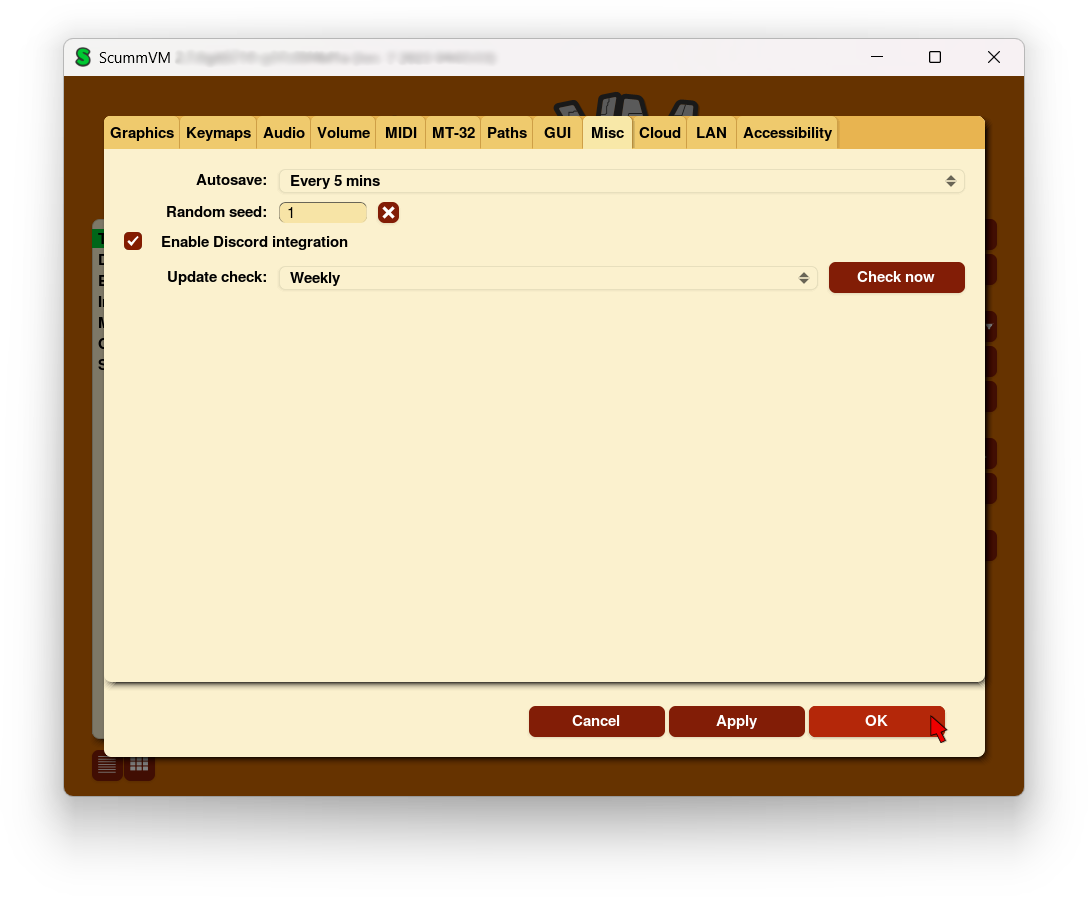
The Misc tab in the Global Options menu
All settings can also be changed in the Configuration file. The configuration key is listed in italics after each setting description.
- Autosave
Adjusts the time period between autosaves. The default setting is 5 minutes.
autosave_period
- Random seed
Every time you start ScummVM, a random seed is generated. Use this option to set a fixed seed, which ensures that random events in games play out the same way every time.
random_seed
- Enable hotspot display
Enables visual markers and labels for interactive objects in supported games. When enabled, pressing the hotspot key (default ‘h’) displays markers at clickable locations.
enable_hotspots
- Hotspot marker
Selects the visual style for hotspot markers. Options include Point (circular marker), Square (rectangular outline), or Crosshair (crosshair symbol).
hotspot_marker
- Show hotspot labels
When enabled, displays text labels next to hotspot markers showing the name of the interactive object.
show_hotspot_text
- Enable Discord Integration
Show the currently running game in a Discord user’s status (if Activity Status is also enabled in the Discord settings).

- Update check
Use this option to automatically check for updates to ScummVM. Click the Check now button to manually check for updates.